
.png)
Description
Download Artiphoria – AI Image Generation Tool for Creatives
Overview
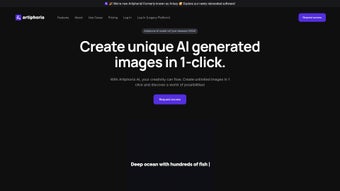
Artiphoria AI is a web‑based, subscription‑driven platform that empowers artists, designers, and marketers to create unique digital artwork with a single click. Built on cutting‑edge computer vision, machine learning, and artificial intelligence, the tool eliminates the steep learning curve associated with traditional graphic suites. Whether you need a striking social‑media visual, a polished advertising banner, or a fresh illustration for a client project, Artiphoria provides an intuitive canvas that adapts to a wide range of creative needs. The service offers more than 120 pre‑crafted visual styles and over 10 specialized use cases, allowing users to tailor the output to specific genres such as fantasy concept art, minimalist branding, or photorealistic product renders. With transparent pricing plans and a focus on speed, the platform is positioned as a reliable ally for freelancers, agencies, and enterprises that require high‑quality visuals without the time‑consuming manual effort.
The AI engine behind Artiphoria analyzes user prompts and instantly synthesizes a brand‑new image that respects the chosen style, color palette, and composition guidelines. This one‑click workflow dramatically reduces the turnaround time for marketing campaigns and creative briefs, often delivering results in seconds instead of hours. Moreover, the web‑only architecture means there’s no need for bulky installations or hardware upgrades; a modern browser is all that’s required to tap into the full power of the service. The platform also integrates smoothly with popular design tools through export options that include PNG, JPEG, and vector formats, ensuring that the final assets can be edited further if needed.
Security and privacy are baked into Artiphoria’s design. All user data, including prompt history and generated images, are stored on encrypted servers that comply with GDPR and other international standards. Subscription plans are tiered to suit a variety of budgets, from individual creators looking for occasional inspiration to large teams that need bulk image generation and API access. In short, Artiphoria AI stands out as a fast, secure, and versatile solution for anyone who wants to amplify their artistic capabilities while keeping production costs under control.
Key Features, Compatibility & Core Benefits
- 120+ Visual Styles: From vintage watercolor to hyper‑realistic 3D, the library covers a broad spectrum of artistic directions.
- 10+ Use‑Case Templates: Pre‑configured settings for social media posts, ad banners, book covers, product mockups, and more.
- One‑Click Generation: Input a short text prompt and receive a fully rendered image in seconds.
- AI‑Driven Customization: Adjust composition, lighting, and color balance via intuitive sliders without writing code.
- Export Options: Download results in PNG, JPEG, SVG, or high‑resolution PDF for seamless integration into any workflow.
- API Access: Automate image creation for large‑scale projects or integrate directly with your own software stack.
- Secure Cloud Storage: All assets are saved on encrypted servers with granular privacy controls.
- Multi‑Device Compatibility: Works on Windows, macOS, Linux, Android, and iOS through any modern web browser.
- Collaborative Workspaces: Share prompts and generated assets with teammates in real time.
- Regular Updates: New styles and use‑case templates are added monthly, keeping the platform fresh and relevant.
Beyond the headline features, Artiphoria’s AI engine continuously learns from user interactions, refining its output quality over time. The platform’s “Style Mixer” lets you blend two or more visual styles, creating hybrid aesthetics that are difficult to achieve manually. For businesses, the bulk‑download manager simplifies the retrieval of large image batches, while the usage analytics dashboard provides insight into which styles resonate most with target audiences. These capabilities collectively turn Artiphoria into not just a tool, but a strategic asset for visual content creation.
Because all processing occurs in the cloud, Artiphoria runs smoothly on any operating system that supports a modern web browser—Chrome, Firefox, Safari, Edge, or Opera—making it accessible on Windows 10/11, macOS Monterey and later, Linux distributions, as well as mobile devices running Android 8.0+ or iOS 13+. The responsive design ensures that the full suite of controls remains usable on tablets and smartphones, allowing creators to generate visuals on the go without taxing local CPU or GPU resources.
Installation, Usage & Pros / Cons
Getting Started in Minutes
Because Artiphoria is entirely web‑based, there’s no traditional “installation” process. Simply navigate to artiphoria.com, create a free account, and choose a subscription tier that matches your needs. After confirming your email, you’ll be redirected to the dashboard where the prompt bar sits at the top of the screen. Type a concise description of the image you envision—e.g., “sunset over a futuristic cityscape in neon cyberpunk style”—select a visual style from the dropdown, and click “Generate.” Within seconds, a high‑resolution image appears, ready for download or further tweaking.
Step‑by‑Step Workflow
1. Sign Up & Choose a Plan: Free trial available for 5 images; paid plans start at $19 / month.
2. Enter Prompt & Select Style: Use natural language; the AI interprets context and applies the chosen style.
3. Generate & Refine: Click “Generate,” then use the adjustment sliders for brightness, contrast, or style intensity.
4. Export & Integrate: Choose your preferred file format, download, or send directly to cloud storage services like Google Drive or Dropbox.
5. Collaborate: Invite team members to view or edit the project via a shareable link.
Pros
- Instant, one‑click image generation dramatically speeds up creative workflows.
- Extensive library of 120+ styles and multiple use‑case templates.
- Fully web‑based, eliminating the need for powerful local hardware.
- Secure cloud storage with GDPR compliance.
- API access for automation and large‑scale projects.
Cons
- Subscription model may be costly for occasional users.
- Creative control is limited to the parameters provided by the UI.
- Internet connection required; offline work is not possible.
FAQ & Conclusion
Frequently Asked Questions
Can I use Artiphoria for commercial projects?
Yes. All paid subscription plans grant you a commercial license, allowing you to use generated images in marketing, advertising, product packaging, and client deliverables without additional fees.
What file formats are supported for download?
Artiphoria offers PNG, JPEG, SVG, and high‑resolution PDF exports. Vector formats like SVG are ideal for logos and scalable graphics.
Is there a free trial available?
A free trial provides five generated images with access to all visual styles. No credit card is required to start the trial.
How does Artiphoria ensure the privacy of my prompts?
All prompts and generated assets are encrypted at rest and in transit. Users can opt to delete their history permanently from the dashboard at any time.
Can I integrate Artiphoria with my existing design workflow?
Yes. The platform’s API enables direct integration with tools like Adobe Creative Cloud, Figma, and custom internal pipelines, allowing automated image generation within your established workflow.
Conclusion & Call to Action
In a landscape crowded with generic AI art generators, Artiphoria distinguishes itself through a robust catalog of visual styles, a seamless one‑click workflow, and enterprise‑grade security. The platform’s web‑first design removes hardware constraints, while the API and collaborative features cater to teams that need to scale visual production quickly. For freelancers looking to augment their portfolio, agencies seeking rapid mock‑ups, or brands that need a steady stream of fresh imagery, Artiphoria offers a balanced blend of speed, quality, and flexibility.
If you’re ready to accelerate your creative pipeline and produce professional‑grade artwork without mastering complex design software, click the button below to start your free trial. Experience the power of AI‑driven image generation and see how Artiphoria can transform the way you create.
Artiphoria delivers a powerful, user‑friendly AI image generation experience that meets the needs of modern creators. While the subscription cost may be a barrier for hobbyists, the time savings, extensive style library, and secure cloud infrastructure make it a compelling choice for professionals and businesses alike.
Guides & Tutorials for Artiphoria
How to install Artiphoria
- Click the Preview / Download button above.
- Once redirected, accept the terms and click Install.
- Wait for the Artiphoria download to finish on your device.
How to use Artiphoria
This software is primarily used for its core features described above. Open the app after installation to explore its capabilities.
User Reviews for Artiphoria 0
No reviews found




